What Is a Selections Consultant?
A Selections Consultant is a design and documentation specialist who helps you finalise, review, and format all your material selections into a clear, build-ready schedule. Their job is to ensure your selections are compliant, coordinated, and communicated correctly to your certifier or suppliers.
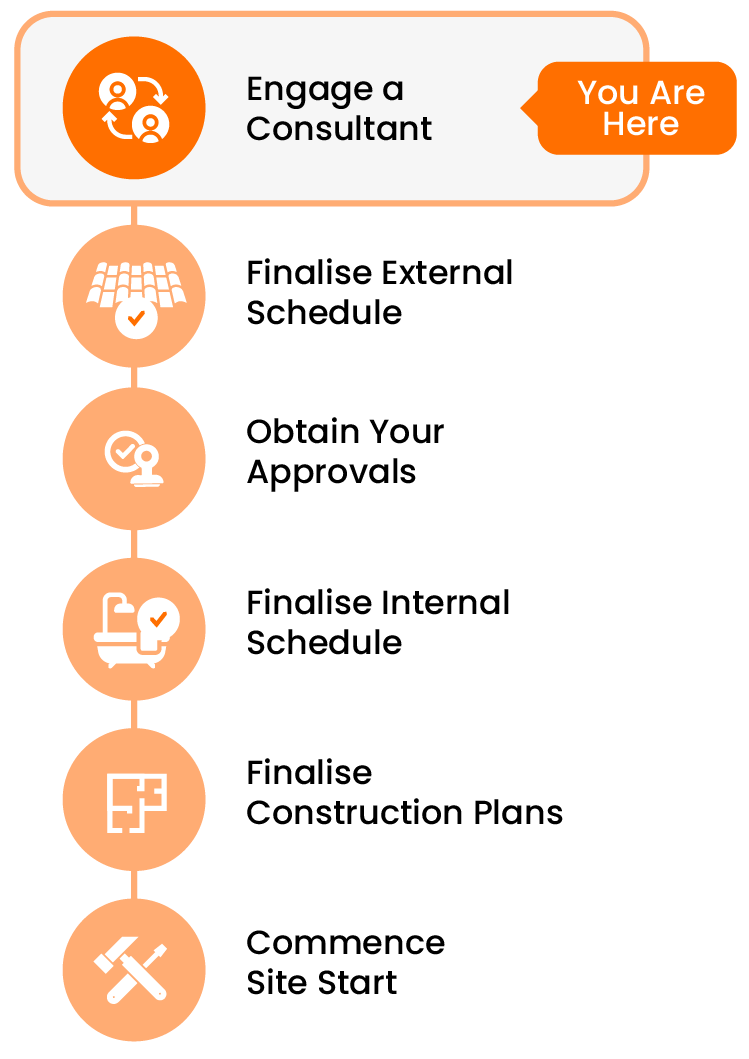
This task involves requesting quotes from qualified consultants to help complete both your
External
and
Internal Selections Schedules, according to the scope of your project.
What’s the Purpose of the Introduction?
Usually this is a phone call or a video call (Facetime, Zoom etc). Your selections consultant will work this out with you.
This first conversation is designed to:
- Formally introduce yourself and your project
- Establish how you’ll be working together (e.g. tool access, emails, meetings)
- Clarify timelines and expectations for the selections check or schedule preparation
- Give your consultant a chance to ask questions about your style, build type, or preferred suppliers
- Discuss any gaps, uncertainties, or support you may need
It doesn’t need to be long — just enough to ensure everyone’s on the same page.
Tip: Start With Clarity, Not Assumptions
This first chat isn’t just a formality — it’s your chance to set expectations before any work begins. Be upfront about where you’re confident, where you need guidance, and how involved you want your consultant to be. A clear conversation now helps avoid confusion later.
Making the Most of the Intro Call
A quick 15–30 minute phone or video call is usually all that’s needed. You can:
- Briefly walk through your Scope of Works (or selections progress)
- Flag any categories you need extra help with
- Confirm the next steps for the selections check or schedule preparation
- Ask how your consultant prefers to communicate (tools or spreadsheets, email notes, file uploads, etc.)
A strong first conversation helps avoid confusion and creates a collaborative working relationship.
Before You Begin: What You’ll Need Ready
To get the most from your intro call, have the following on hand:
- Your Scope of Works (if available)
- Any notes or questions you’ve prepared
- An overview of where you're up to with External and Internal selections
- Any specific selections you have so far (if any)
After the call, update any notes or timelines and mark this task as complete.
Frequently Asked Questions
What if I’ve already communicated by email — do I still need a call?
It is highly recommended — even a quick phone or video chat can help clarify tone, process, and expectations. It’s often easier to build trust and alignment with a live conversation.
Do I need to prepare anything formal?
No — just be ready to share where you're up to and ask questions if anything is unclear. Your consultant may lead the discussion.
What if I’m not sure what I need help with yet?
That’s okay — use this chat to explore where the consultant can add the most value. They’ll help guide the conversation based on your progress and goals.
Will they use the Build Buddy template?
They may or may not. Most selections consultants have their own tools or spreadsheets that they like to use.
If you specifically want to use the Build Buddy template, let them know up front, so time isn't wasted.
NB: you don't HAVE to use the Build Buddy template. A the end of the day, it is important you have achieved a clearly documented selections schedule.
NEED HELP?
Reach Out to Your Build Buddy Pro
If you have any questions or need a hand, your Build Buddy Pro is your best first contact. They’re a licensed expert in their field and can understand the ins and outs of your project. You can message them via the platform, or you can call them directly.
If you have already contacted your Build Buddy Pro and still need further assistance, the Build Buddy Expert Guidance and Support team are here to help. They will be able to guide you on your next steps or help you find answers to any questions you may have.