What Is the Internal Selections Schedule?
The Internal Selections Schedule is a detailed, build-ready record of every internal finish, fixture, and fitting you've chosen for your home. It includes everything from paint and flooring to appliances, tapware, cabinetry, lighting, and more.
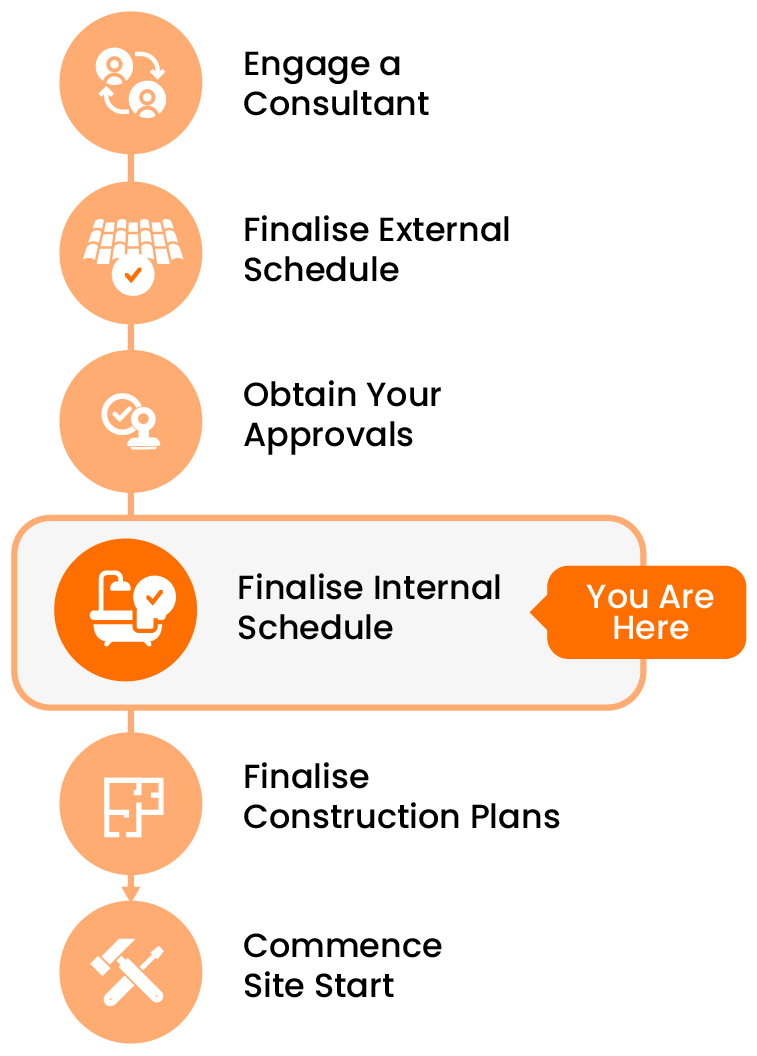
Finalising this schedule with your Selections Consultant ensures your selections are practical, coordinated, and clearly documented — ready for your building designer or architect to act on, and finalise your construction drawings.

What Does Finalising the Schedule Involve?
Working with your consultant, you’ll go through a structured process to:
- Review all internal selections for completeness and clarity
- Confirm product specs, colours, and installation preferences
- Address any Requests for Information (RFIs) raised by your consultant
- Ensure custom selections include supplier details and documentation
- Clarifying installation notes or special finishes
- Tracking any agreed milestone payments (if using a paid consultant)
This step ensures your selections are locked in and ready to proceed without delays or confusion.
Once finalised, this document becomes the reference point for:
- Your building designer to reflect your selections accurately on your construction plans
- Future suppliers or trades when requiring information additional to your plans

Tip: Collaborating With Your Consultant
This stage requires clear, open communication. You’ll need to:
- Respond to RFIs in a timely and detailed manner
- Review any changes or notes your consultant adds to the schedule
- Clarify any design intent, especially for custom or non-standard items
- Share supporting documents, brochures, or links as needed
- Ensure that payment milestones (if applicable) are met on time
Staying responsive and organised helps avoid bottlenecks during finalisation.
What Makes a Good Final Selections Schedule?
- All selections are clearly listed with accurate names, colours, and specifications
- Any custom products include brand, supplier, finish, and notes
- All RFIs have been addressed, and there are minimal placeholders or "TBC" entries
- Clear mark-ups (see Build Buddy Excel Template for more information)
- The schedule is easy to follow and ready to be used by your trades
- You’ve confirmed sign-off with your consultant
A strong schedule is about more than looks — it’s about clarity, coordination, and confidence that your build is ready to move forward.
Frequently Asked Questions
What if I realise I missed something?
Let your consultant know immediately. Small items can be added, but it’s best to catch these before final sign-off.
What if I find an error after the schedule is finalised?
If ordering hasn’t begun, changes may still be possible — but aim to catch issues before final sign-off. If you change your mind later, it does open you up to the risk of fit-out or fit-off issues later during construction. It is highly recommended to complete your selections before starting out on site.
NEED HELP?
Reach Out to Your Build Buddy Pro
If you have any questions or need a hand, your Build Buddy Pro is your best first contact. They’re a licensed expert in their field and can understand the ins and outs of your project. You can message them via the platform, or you can call them directly.
If you have already contacted your Build Buddy Pro and still need further assistance, the Build Buddy Expert Guidance and Support team are here to help. They will be able to guide you on your next steps or help you find answers to any questions you may have.