What is a Traffic Specialist?
A Traffic Specialist prepares and manages Traffic Control Plans (TCPs), which are required whenever construction works could impact public roads, footpaths, or traffic flow. They ensure compliance with local council, Roads and Maritime Services (RMS), and safety standards, helping you get approvals quickly and avoid project delays.
What does a Traffic Specialist do?
Your Traffic Specialist will complete works according to your agreed scope of works.
Typically, a Traffic Specialist will:
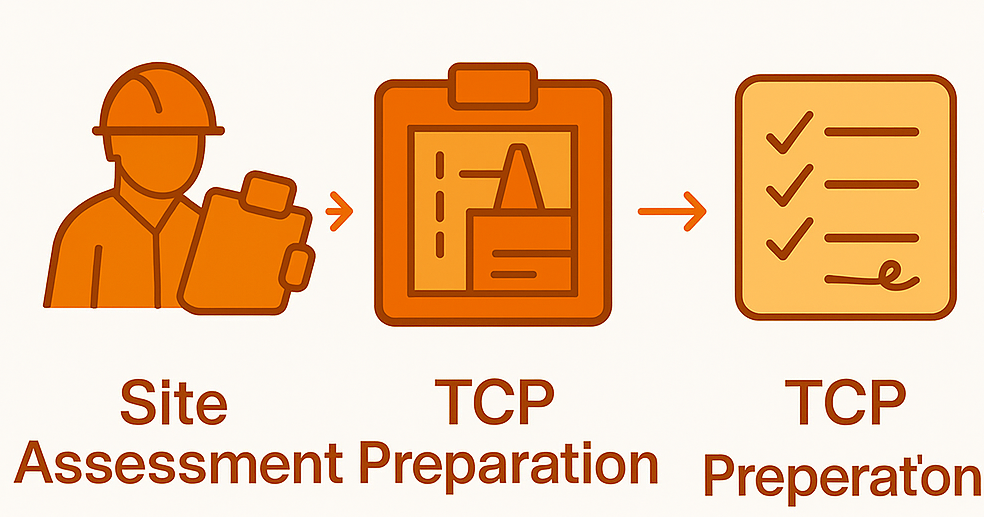
- Assess your site and determine traffic risks
- Prepare a detailed Traffic Control Plan (TCP) for your construction activities
- Ensure compliance with local council and RMS requirements
- Coordinate approvals where necessary
- Advise on safety signage, barriers, and traffic management strategies
They help ensure the safety of the public and workers during your building works, and can speed up your permit approval process.
Barry's Toolbox
When reviewing quotes, don’t just compare pricing — also check if the Traffic Specialist has experience with your local council and whether they offer support in handling permit approvals. This can save you a lot of time and hassle later.
What to look for in a Traffic Specialist
When reviewing quotes, look for:
- Experience: Ideally, choose a specialist with local council knowledge and a history of successfully completed TCPs.
- Accreditation: Ensure they hold relevant RMS certifications (e.g. Prepare Work Zone Traffic Management Plan certification).
- Approachability: Look for someone who can clearly explain the approval process and anticipated timelines.
- Support services: Some specialists can liaise directly with council on your behalf — this is a big plus.
Before You Begin: What You’ll Need Ready
To get quotes from Traffic Specialists for your Traffic Control Plan (TCP), you’ll need:
- Site address and project overview
- Site plans or sketches showing areas impacted by your construction activities
- Your project timeline (start and finish dates)
- Any local council TCP guidelines (if available)
Average Timeframe
For this task, Pros typically provide quotes within
7-10 business days.
When Can I Expect Quotes?
Timeframes often vary based on demand and the type of Pro you're engaging (e.g. a plumber). If additional communication or clarification is needed is needed, the quoting process may take longer.
Don't be alarmed if you don't receive quotes or communication from any Build Buddy Pros straight away. Some work is more complex and the Pro may need time to comprehend your documents or scope of work. Depending on the job, there may even be some work required by the Pro before they are able to quote (e.g. a site visit might be required).
If the average timeframe indicated here has passed, and you have not received any messages or quotes, please feel free to contact the Build Buddy Expert Guidance and Support team for an update on quoting for this task.
Frequently Asked Questions
Can I submit my building application without a Traffic Control Plan?
Some councils require your TCP to be included at the time of DA or CC submission if your work will impact public land. Check with your council first to avoid delays.
What happens if council rejects the Traffic Control Plan?
Your Traffic Specialist can usually revise and resubmit the plan. Make sure your quote includes a revision allowance to avoid unexpected extra costs.
How to Complete this Task?

STEP 1
Review and Adjust the Scope of Works
Timeframes may vary based on demand and the type of Pro you're engaging (e.g., a plumber). If additional communication or clarification is needed, the quoting process may take longer.
STEP 2
Confirm Required Documents Are Uploaded
Check that the following required document(s) are uploaded for this task. These are essential to proceed:

STEP 3
Update the Quality Assurance Checklist
Go to the
Quality Assurance tab in this task and review the checklist. Edit any details to suit your project requirements. Being clear and upfront helps set expectations with the Pro. Updating the checklist before requesting quotes ensures everyone is aligned.

STEP 4
Request Quotes
Click the
orange ‘Request Quotes’ button to start the quoting process.

STEP 5
Review the Quotes
Once you receive quotes:
- Review each one carefully, including the payment schedule and any special terms
- Download attached quote documents for detailed review
- Check each Pro’s profile and read past client reviews

STEP 6
Communicate with the Pro
If needed, message or call the Pro to clarify details or negotiate terms.
STEP 7
Accept a Quote
Choose the quote that best suits your needs. Once you accept a quote, any other pending quotes will be automatically declined. An agreement will automatically be generated.

STEP 8
Complete the Tasks In Your App
New tasks will appear to guide you through this job — follow each step carefully. Make sure to use the
Quality Assurance Checklist, and refer to your
contract and
final Scope of Works whenever needed.
NEED HELP?
Reach Out to Your Build Buddy Pro
If you have any questions or need a hand, your Build Buddy Pro is your best first contact. They’re a licensed expert in their field and can understand the ins and outs of your project. You can message them via the platform, or you can call them directly.
If you have already contacted your Build Buddy Pro and still need further assistance, the Build Buddy Expert Guidance and Support team are here to help. They will be able to guide you on your next steps or help you find answers to any questions you may have.